Choosing Your First Mechanical Keyboard Under $100 in 2025
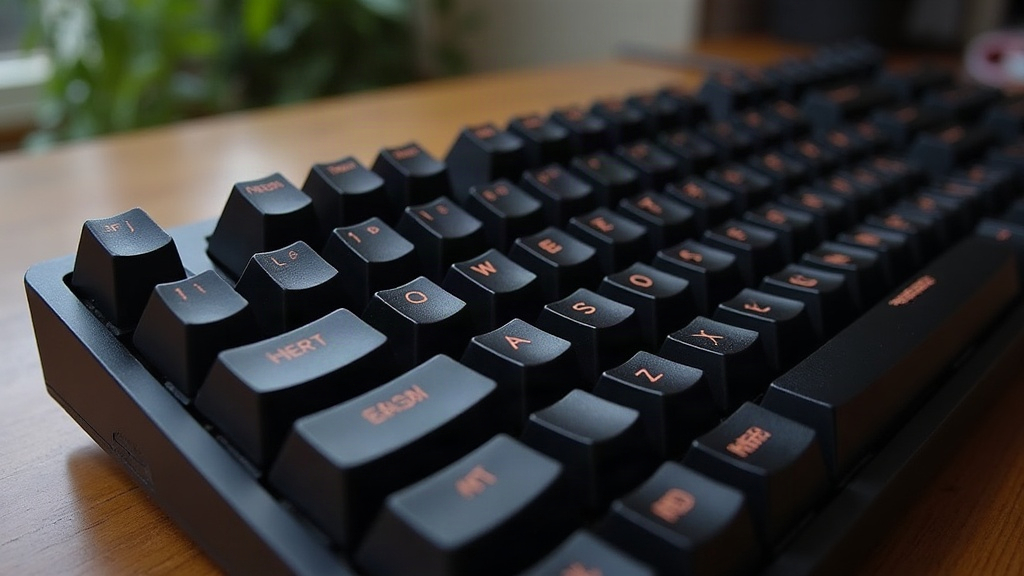
Picking your first mechanical keyboard under $100 in 2025 really doesn’t need to be a headache. Focus on switch type, build quality, connectivity, and keycap material, and you’ll land on something that feels nearly as good as boards costing three times as much. Here’s what actually matters, and what you can skip without losing sleep over it.
Why Go Mechanical in the First Place?
Mechanical keyboards put an individual physical switch under every key, instead of the rubber dome membrane crammed into most stock keyboards. That swap gets you:
- Better tactile feedback, you feel (and usually hear) each keystroke land
- Longer lifespan, most switches are rated for 50 million-plus presses, which is years of daily typing before anything wears out
- Customization, swappable keycaps, and on hot-swap boards, swappable switches too
- A typing feel that stays consistent, it won’t turn mushy after eighteen months the way cheap membrane boards do
Here’s the good part: the sub-$100 market in 2025 has grown up a lot. Brands like Keychron, Royal Kludge, Epomaker, and Redragon are now packing features into budget boards that used to live exclusively in $150+ territory.
Step 1: Pick Your Switch Type
This is the decision that matters most. Everything about how the board feels and sounds flows from here.
Linear Switches (e.g., Red, Yellow)
Smooth, no bump, no click, just a straight press from top to bottom. Gamers and fast typists tend to like these because nothing interrupts the motion.
Tactile Switches (e.g., Brown)
A small bump partway through the keystroke tells you the key registered, minus the loud click. Solid all-rounder for typing and casual gaming.
Clicky Switches (e.g., Blue)
Audible click plus tactile bump. Genuinely satisfying when you’re alone in a room, less so on a Zoom call where everyone can hear you typing.
Beginner tip: Not sure where to start? Grab tactile browns. They’re the safest, most versatile pick for a first board.
Step 2: Decide Between Hot-Swappable or Soldered
Hot-swappable PCBs aren’t rare anymore, even under $100. Pull a switch out with a cheap tool, pop a new one in, no soldering iron required. That matters a lot if you haven’t settled on a switch feel yet (and most beginners haven’t). If a budget board offers hot-swap, grab it. It future-proofs the purchase and leaves room to experiment down the line without buying a whole new board.
Step 3: Layout, Full-Size, TKL, or 60%?
- Full-size: Keeps the number pad. Good call if you do accounting, data entry, or anything number-heavy all day
- TKL (tenkeyless): Drops the number pad, keeps arrows and the function row, frees up real desk space. This is the one most people end up happiest with
- 60%/65%: Tiny footprint, great for travel or a cramped desk, but you’ll need to learn key combos for the keys that got cut
For a first mechanical board, TKL hits the sweet spot between compact and still fully functional.
Step 4: Wired vs Wireless
A lot of budget boards now ship with tri-mode connectivity (USB-C, Bluetooth, and a 2.4GHz dongle) even under the $100 mark. Switching between a laptop, a tablet, and a desktop throughout the day? Go wireless. Playing competitively? Wired or the 2.4GHz dongle will give you the lowest latency, Bluetooth still lags slightly behind in response time.
Step 5: Don’t Ignore Build Quality Details
The small stuff is what separates a board that feels cheap from one that feels “premium” even at $70:
- Keycap material: PBT resists that shiny, greasy look ABS keycaps get after a few months of use, and it simply wears better
- Case material: Even a plastic case can feel solid if it has some heft to it, gasket-mounted or foam-dampened designs sound and feel far less hollow than a bare plastic shell
- Stabilizers: Search reviews for the phrase “lubed stabilizers.” That’s what keeps the spacebar and shift keys from rattling around
What to Realistically Expect Under $100
Don’t expect, at this price:
- Aluminum unibody cases (that’s a $120+ feature)
- Per-key RGB with deep software customization
- Factory-lubed switches, though a few brands are starting to throw this in
What a smart pick can get you:
- Hot-swap sockets
- PBT keycaps
- Tri-mode connectivity
- A gasket-mount or foam-dampened feel
- Programmable keys through companion software
Quick Buying Checklist
- Match switch type to your use case (tactile for general work, linear for gaming)
- Confirm hot-swap support, it buys you flexibility later
- Default to TKL unless you genuinely need a numpad or want something pocket-sized
- Check for PBT keycaps, skip ABS if you can
- Match connectivity to your actual setup (wired-only is perfectly fine for a dedicated gaming rig)
- Watch a sound-test video and read a few reviews on stabilizer quality before you click buy
Conclusion
A sub-$100 mechanical keyboard in 2025 can genuinely feel satisfying, last for years, and leave room to tinker, as long as you prioritize the right things. Switch type, hot-swap support, keycap material, layout: get those right first. Ignore the marketing noise about RGB zones and “gaming-grade” labels that have zero bearing on how the board actually feels to type on. Do a little homework, and that first budget board might turn out to be the start of a hobby rather than just a one-off upgrade.