Cherry vs OEM vs SA Keycap Profiles for Long-Form Typing Comfort
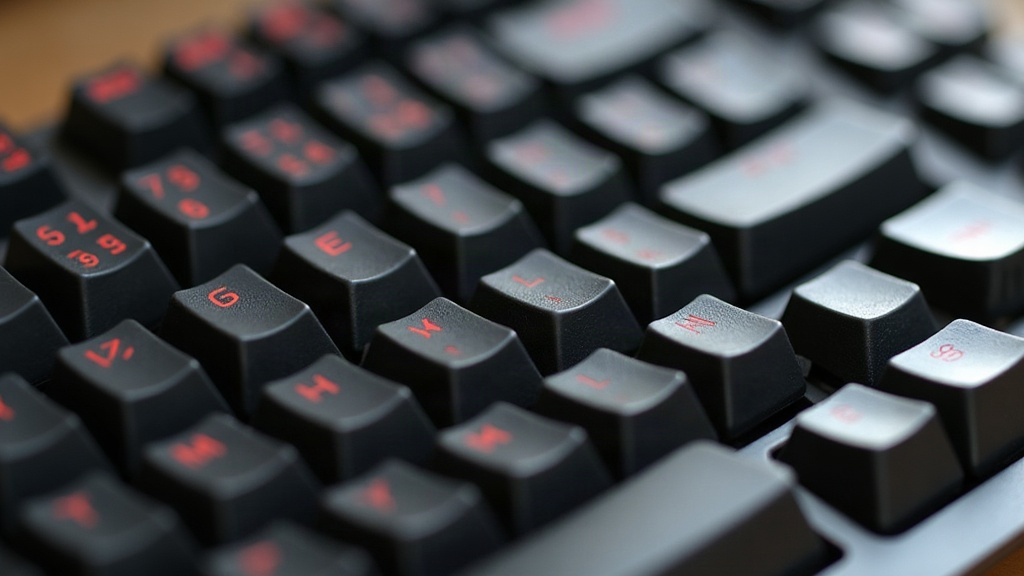
If you spend hours every day typing, drafting articles, writing code, or just chatting away, the shape of your keycaps matters more than most people give it credit for. The three most common profiles, Cherry, OEM, and SA, each guide your fingers along a slightly different path, and over an 8-hour workday, those small differences pile up. Cherry gives you the best mix of low height and ergonomic sculpt for marathon sessions. OEM is the safe, widely compatible middle ground. SA looks gorgeous but wears your fingers out faster thanks to its tall, uniform rows.
What “Keycap Profile” Actually Means
A keycap profile is basically the height and curve of each row on your board, plus whether every row gets its own unique shape (sculpted) or they all share the same mold (uniform). This one design choice affects:
- How far your fingers have to travel to hit each key
- The angle your fingertip lands at
- How tired your wrists and hands get during long sessions
This isn’t just about looks. It genuinely changes the mechanics of how you type.
Cherry Profile: The Low-Fatigue Favorite
Cherry profile keycaps sit low, with a gentle sculpt and a subtle concave dish on each cap. Cherry Corp designed this profile decades ago, and it’s since become the go-to choice for programmers and anyone who types for a living.
Pros:
- Low profile means less finger travel
- Gentle sculpting guides your fingers without jarring height jumps between rows
- Works equally well flat or tented
- Barely any wobble, and the lower height dampens sound nicely
Cons:
- Doesn’t have the dramatic “feel” of taller profiles
- Sculpting can fight with non-standard layouts like ortholinear or split boards
Best for: writers, programmers, and anyone clocking 6+ hours of typing a day who wants their hands to feel fine by 5pm.
OEM Profile: The Universal Default
OEM is what ships on most keyboards straight out of the box. It’s taller than Cherry, with a moderate sculpt across the rows.
Pros:
- Near-universal compatibility, almost every keycap set and switch plays nice with it
- Feels familiar if you’ve only ever used a standard board
- A reasonable middle ground between comfort and tactile feel
Cons:
- Taller than Cherry, so your fingers travel a bit farther
- The sculpting is less refined, so it won’t save you from fatigue the way Cherry does over very long stretches
Best for: everyday users, gamers, and anyone who wants broad compatibility without hunting down a niche profile.
SA Profile: Beautiful but Demanding
SA (Spherical All-row) keycaps are tall, deeply sculpted, and dripping with retro charm, think vintage terminal keyboards from the 70s. They look incredible and produce a satisfying, deep “clack” with every keystroke. But for an 8-hour grind? Comfort becomes a real question mark.
Pros:
- Striking looks that keyboard enthusiasts love showing off
- The deep dish feels great for shorter typing bursts
- Resonant, satisfying acoustics
Cons:
- The big height jump between rows means more finger travel
- The extra height tilts your wrist angle upward, which can strain your wrists without a rest or negative tilt setup
- Not built for 8+ hour marathons
Best for: enthusiasts who type in shorter bursts, collectors, and anyone who cares more about sound and looks than all-day comfort.
Side-by-Side Comfort Comparison
| Profile | Height | Sculpting | Fatigue (Long Sessions) | Compatibility |
|---|---|---|---|---|
| Cherry | Low | Moderate | Low | Good |
| OEM | Medium | Moderate | Medium | Excellent |
| SA | Tall | Deep | Higher | Limited |
Which Should You Choose?
- Writers and programmers typing 6+ hours a day: go with Cherry. The low height and smooth sculpt noticeably cut down on strain over time.
- General users who want flexibility: OEM is your safest bet, with the widest selection of keycap sets to choose from.
- Hobbyists and short-session typists who care about aesthetics and sound: SA gives you that premium feel, just pair it with a wrist rest or a negative tilt case.
A Few Practical Tips
- Pair any profile with a negative-tilt case to cut down on wrist extension.
- Split your time between gaming and long writing sessions? Cherry or OEM will serve you better than SA.
- Try before you commit. Plenty of keycap vendors sell sample kits so you can feel the height difference with your own fingers before dropping money on a full set.
Conclusion
There’s no single “best” keycap profile, only the one that fits how you actually type. For long writing or coding sessions, Cherry profile keycaps hit the sweet spot between low fatigue and ergonomic sculpting. OEM stays the dependable all-rounder for everyone else, while SA rewards enthusiasts who’d rather have style and sound than survive a marathon typing session unscathed. Match the profile to your real typing habits, and your hands will thank you by the end of the day.