How to Fix a Spacebar That Only Actuates on One Side
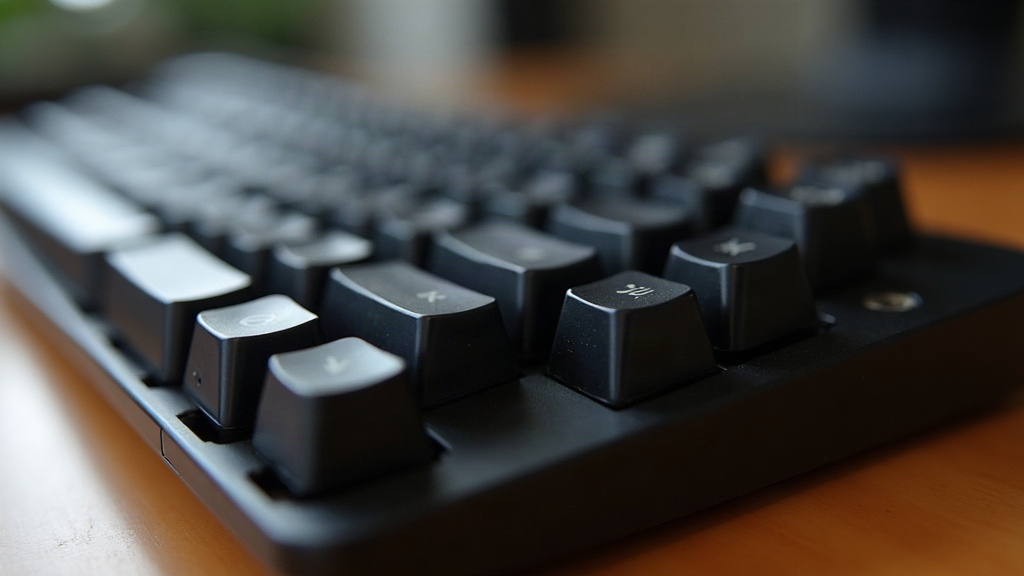
If your spacebar only registers a keystroke when you hit the left or right edge, and feels dead or mushy everywhere else, don’t blame the switch. Nine times out of ten the real problem is an unbalanced or misaligned stabilizer. Here’s how to track it down and fix it, whether you’re running a stock board straight out of the box or a custom build you spent a weekend assembling.
Why This Happens
A spacebar relies on a stabilizer (most people just say “stab”) to keep that long keycap level instead of tilting when you press off-center. The stabilizer has a wire running underneath the keycap, connecting to two plastic housings near each end (some boards use a single bar instead). If one side of that setup isn’t passing force down to the switch evenly, you end up with a key that fires completely on one side and barely registers, or doesn’t register at all, on the other.
A few things usually cause this:
- Uneven stabilizer wire bend, where the wire sits at a different height on each end.
- Loose or poorly seated stabilizer housings, which shows up a lot on screw-in and clip-in plate-mounted stabs.
- Keycap stem misalignment, so the spacebar stem doesn’t sit evenly across both stabilizer inserts.
- Dry, unlubricated housings, which bind on one side while the other moves freely.
- A worn-out or defective switch under one end (not the most common cause, but worth checking).
- A warped plate or flexing PCB, something you see a lot on budget boards, which throws off stabilizer height on just one side.
Step 1: Confirm It’s the Stabilizer, Not the Switch
Before you grab any tools, figure out where the actual problem lives:
- Pull the spacebar keycap off with a keycap puller.
- Press directly on the bare switch stem under the side that’s not responding (skip the stabilizer wire entirely), using a fingertip or the eraser end of a pencil.
- If the switch fires cleanly on its own, good news: it’s the stabilizer wire or housing causing the trouble.
- If the switch feels stiff, scratchy, or just won’t actuate, that switch probably needs replacing.
Step 2: Inspect the Stabilizer Wire
With the keycap off, take a close look at the wire that spans the spacebar:
- Check whether both ends sit in their housings at the same height. Even a slight upward bend on one side lifts that end and cuts down its travel.
- Confirm the wire’s bent ends are seated fully into the keycap’s stabilizer stems (those little plastic nubs molded onto the underside of the spacebar).
- If one end sits higher, lower, or at a different angle than the other, grab a pair of pliers and re-bend it gently for symmetry. Small corrections here make a noticeable difference.
Step 3: Check the Stabilizer Housings
For plate-mounted (clip-in) stabilizers:
- Make sure both housings are fully clipped into the plate. A housing that’s only half-seated feels loose and won’t transfer force properly.
- Press firmly on each housing with your thumb until it clicks into place or sits flush.
For PCB screw-in stabilizers:
- Make sure both screws are tightened to roughly the same degree. One side overtightened (or loose) changes that housing’s height relative to the other.
- Look for stripped screws. A stripped screw can’t hold the housing level no matter how much you tighten it.
Step 4: Lubricate the Stabilizers
Dry stabs are a classic source of uneven actuation, since the wire binds unevenly inside a dry housing. Dab a thin layer of dielectric grease (Krytox 205g0 is the go-to, though any dielectric compound works) onto:
- Where the wire touches the housing
- The inner walls of the housing where the wire slides back and forth
- Where the stem contacts the housing
Honestly, this one step alone fixes a huge chunk of “one-sided spacebar” complaints, particularly on factory-built keyboards that leave the stabs bone dry straight from the factory.
Step 5: Re-Seat the Keycap Correctly
Here’s something people overlook constantly: the spacebar just isn’t pressed on evenly. Pull it off, line up both stabilizer stems with the wire ends, and push down on both sides at the same time until you feel a consistent click. Install it crooked and the stem ends up sitting higher on one stabilizer insert than the other, which brings you right back to square one.
Step 6: Test and Fine-Tune
Once you’ve lubed everything and reseated the keycap:
- Press the spacebar at a few spots (far left, dead center, far right) and listen. You’re looking for a consistent sound, not a sharp “thock” on one side and a hollow “clack” on the other.
- Still mushy on one side? The switch underneath might be the real culprit, or the plate hole itself could be slightly warped. In that case, try a different stabilizer brand altogether. Durock or Cherry-style stabs are generally far more consistent than whatever ships stock on a budget board.
When to Replace the Stabilizer Entirely
If you’ve bent the wire, lubed everything, and reseated the keycap and it’s still misbehaving, the housing itself might be cracked or just manufactured slightly out of spec. That happens more often than you’d think with cheap stock stabs. Aftermarket sets like Durock V2 or C3 Equalz cost next to nothing and basically eliminate chronic one-sided actuation for good.
Conclusion
A spacebar that only fires on one side isn’t a sign your keyboard is dying, it’s a textbook stabilizer issue. Most of the time, straightening the wire, seating the housings properly, adding a bit of lube, and reinstalling the keycap evenly clears it right up. Still acting up after all that? Drop in a decent aftermarket stabilizer set and you’ll likely never think about this problem again.